FOR IMMEDIATE RELEASE
Clackamas, Oregon, USA — November 3, 2026 — progeCAD USA today announced the availability of progeWALK, a new utility for progeCAD 2027 Professional that turns 3D drawings into walkthrough, flyaround, orbit and fly-by videos without leaving progeCAD. Users draw a path, choose a view and a visual style, and progeWALK renders every frame and saves a finished video ready to share with clients, project teams and stakeholders.
See progeWALK in action
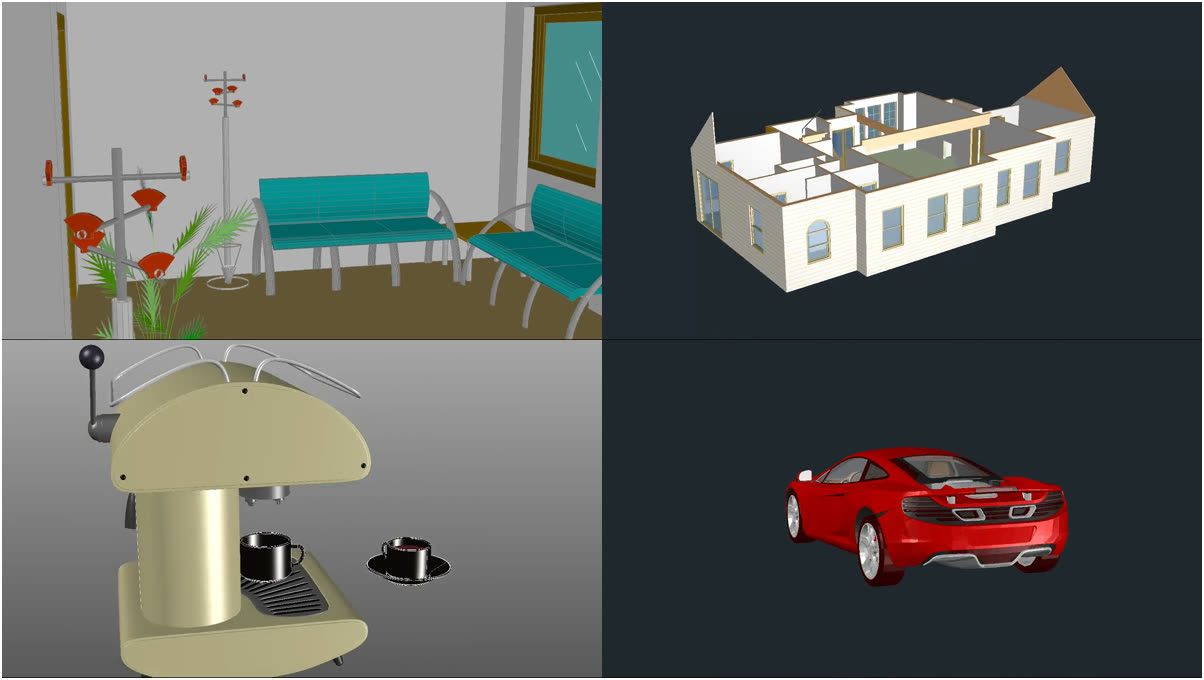
Architects, designers and engineers are often asked to show a project in motion, yet producing an animation usually means exporting the model to a separate rendering or video package. progeWALK keeps the whole job in the DWG drawing the user is already working in. A polyline, arc, circle or spline becomes the camera path; a second path or a fixed point becomes the target. Two timed test frames give an estimate of the number of frames, render time and disk space before rendering begins, and a progress window lets users stop at any time and resume later.
“A moving view sells a design in a way a set of still images can’t,” said Aubrey Lyons, CMO of progeCAD USA. “progeWALK gives every progeCAD user a straightforward way to make that video from the drawing they already have, whether it’s a walk through an office floor, a flyaround of a house or a turntable of a machine part.”
Key features
- Five kinds of animation: walkthrough at eye height looking ahead, flyaround above a building, orbit (turntable) around a product or part, materials-and-lights close orbit, and fly-by with separate camera and target paths.
- Nine visual styles, from Hidden line and Shaded to Realistic with the materials and lights set in progeCAD, plus Conceptual, Shaded with edges, Shades of gray, Sketchy, X-ray and Wireframe.
- Output as MP4 (H.264), WMV, WebM, animated GIF, AVI or a PNG image sequence at 360p, 480p, 720p, 900p or 1080p, at 10 to 30 frames per second; all encoders are included.
- Camera controls that work like a real camera: lens length in millimetres, eye and target heights, walking speed or total duration, and corner smoothing for calm turns.
- Repeatable: settings are saved next to the drawing so a video can be rendered again with a single command (PWRUN) or started from LISP and other programs.
- Five ready-made sample drawings with the paths and step-by-step notes already in place.
Pricing and availability
progeWALK is available now for progeCAD 2027 Professional on Windows. The download is free and fully working; videos carry a watermark until the product is unlocked. An unlock code costs $149 per computer, one-time, with no subscription. progeWALK can be downloaded and purchased at www.progecad.us/progewalk and is also available from authorized progeCAD resellers.
Learn more on the progeWALK product page or in the progeWALK help.
Download progeWALK free, and try progeCAD 2027 free for 30 days. No credit card required.
###
About progeCAD USA
progeCAD USA (www.progecad.us), offers progeCAD shipping with several different options including NLM Network, Flex, and affordable Site Licensing. progeCAD Add-on products in land design, architecture and building services are also available. Download the Free Full 30 day trial versions of our software when you visit our website.
progeCAD is either a registered trademark or trademark of ProgeSOFT, in the USA and/or other countries. progeADD-on, progeBILLD, progeEARTH, progeOFFICE, progeTABLE, progeDATA, progeWORD, progeMOVE, progeWALK, progeMCP are registered trademarks or trademarks of progeCAD USA in the USA and/or other countries. IntelliCAD is a registered trademark or trademark of the IntelliCAD Technology Consortium in the USA and/or other countries. AutoCAD, and AutoLISP are either registered trademarks or trademarks of Autodesk, Inc., in the USA and/or other countries. All other brand names, product names, or trademarks belong to their respective holders.
Contact Information
progeCAD USA
12042 SE Sunnyside Rd.
Suite 591
Clackamas, OR 97015
USA
Email: [email protected]